PocketTerm35 Turns a Raspberry Pi Board Into a Real Handheld Computer
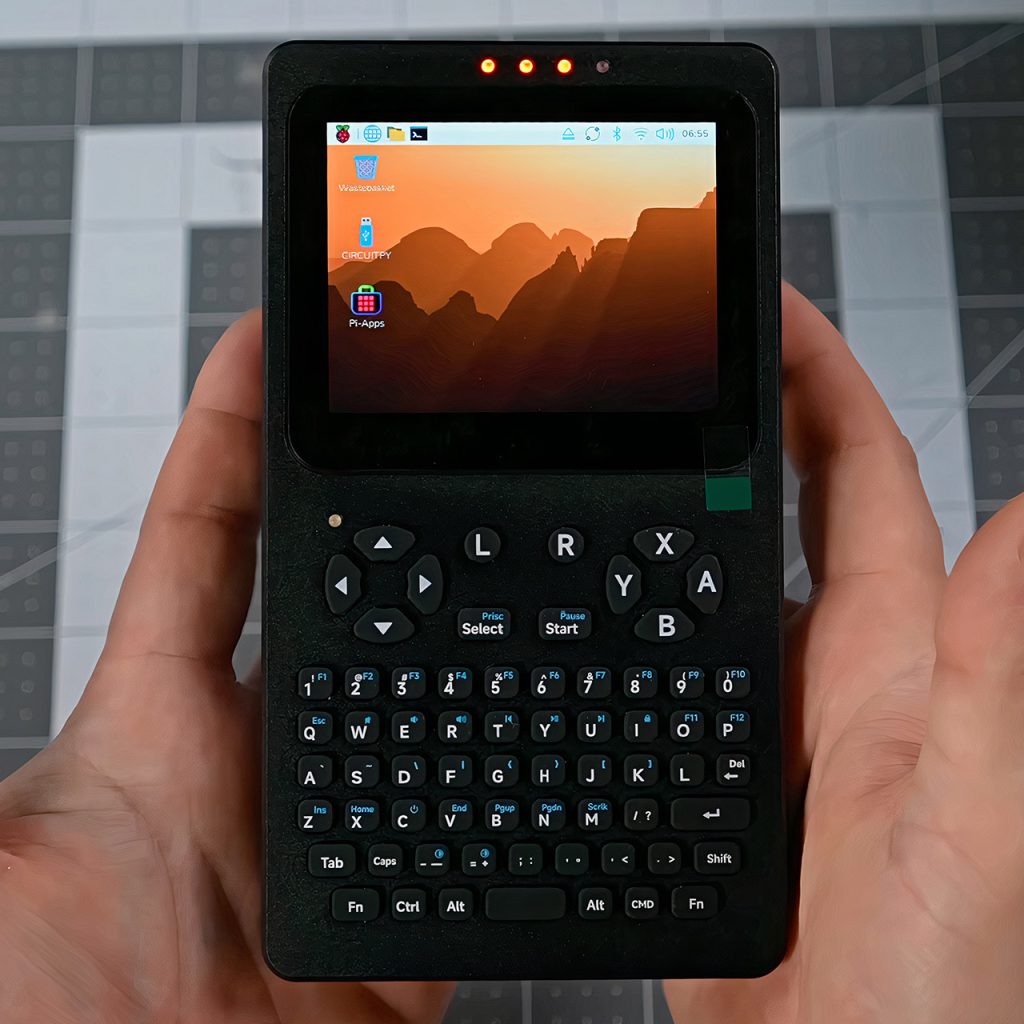
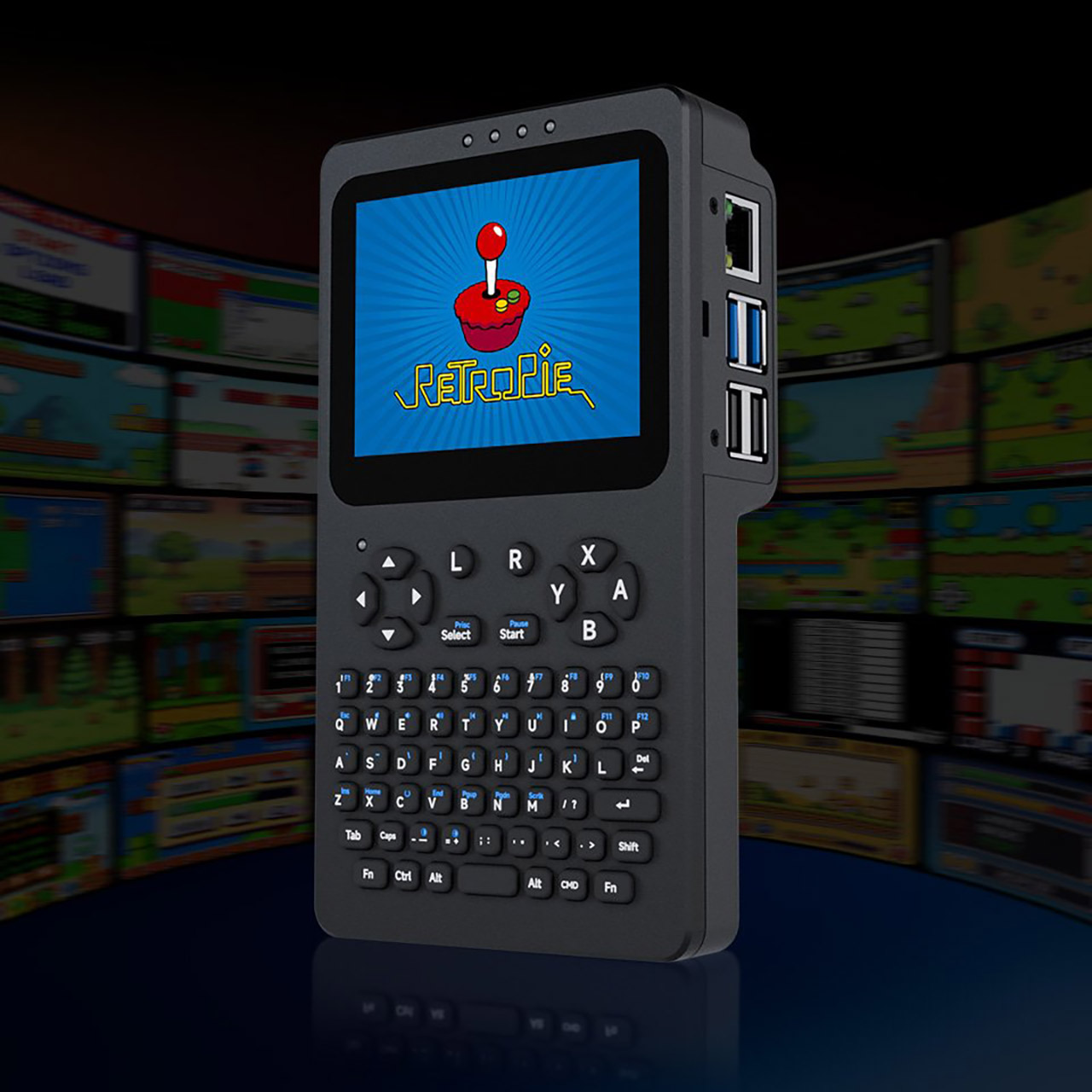
Waveshare engineers used a basic Raspberry Pi 4 or 5 to build a complete portable desktop. What they come up with is PocketTerm35, something that fits in the palm of your hand, boots up a full-fledged Linux system right away, and does so with a display you can tap and a keyboard you can actually hammer away on, eliminating the need to look for function keys.
It takes very little time to put everything together; simply fit the Raspberry Pi into the back of the plastic shell, attach the ribbon wires for display and power, insert the battery if you have the whole kit, and screw on the aluminium front panel. Everything lines up nicely with the pogo pins and posts, and the top seems quite robust once closed. The object is about six and a half inches tall and three and a half inches wide, with the battery bulge at the back being the main distinguishing feature. It has enough bulk to feel solid, but it remains comfortable even after several hours of use.
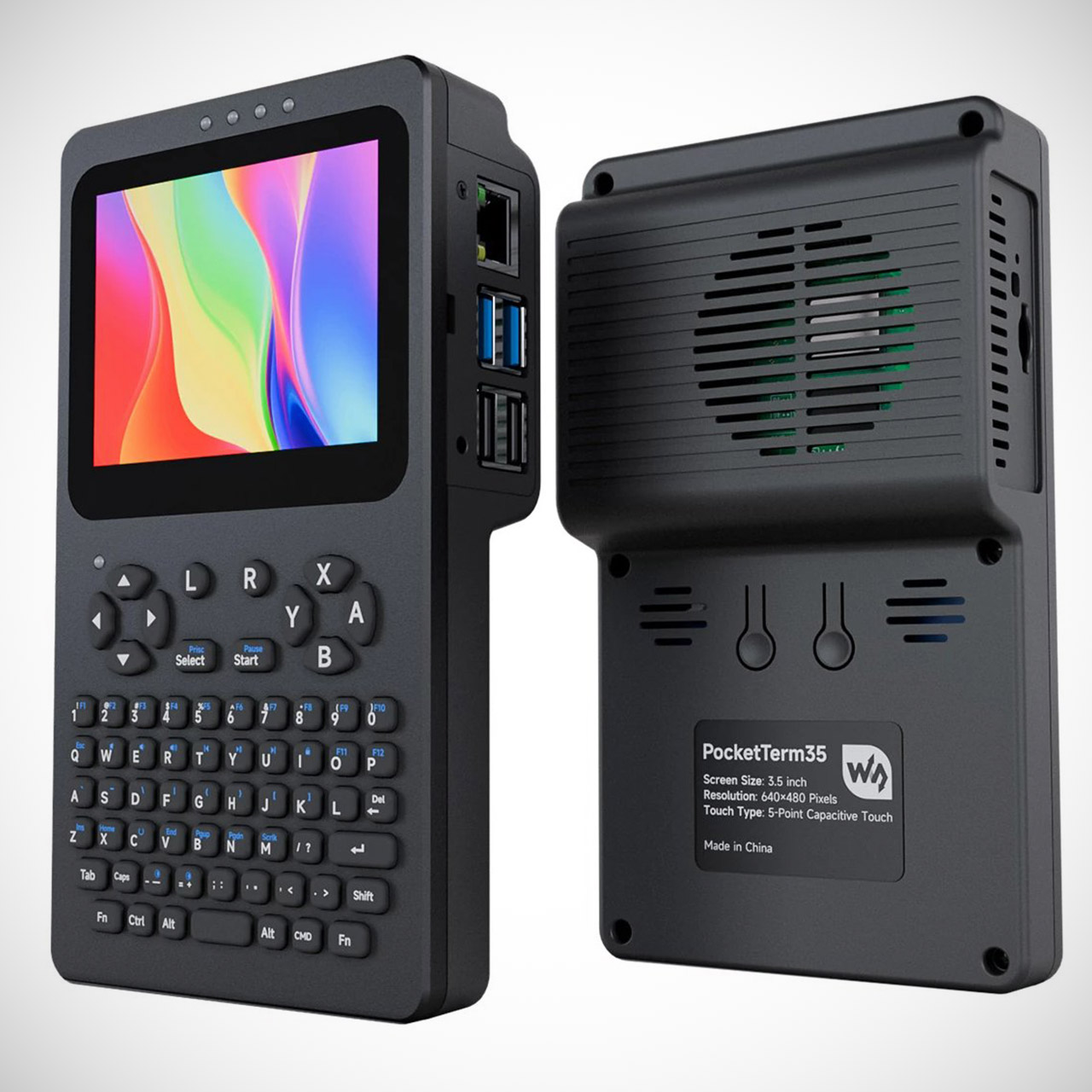
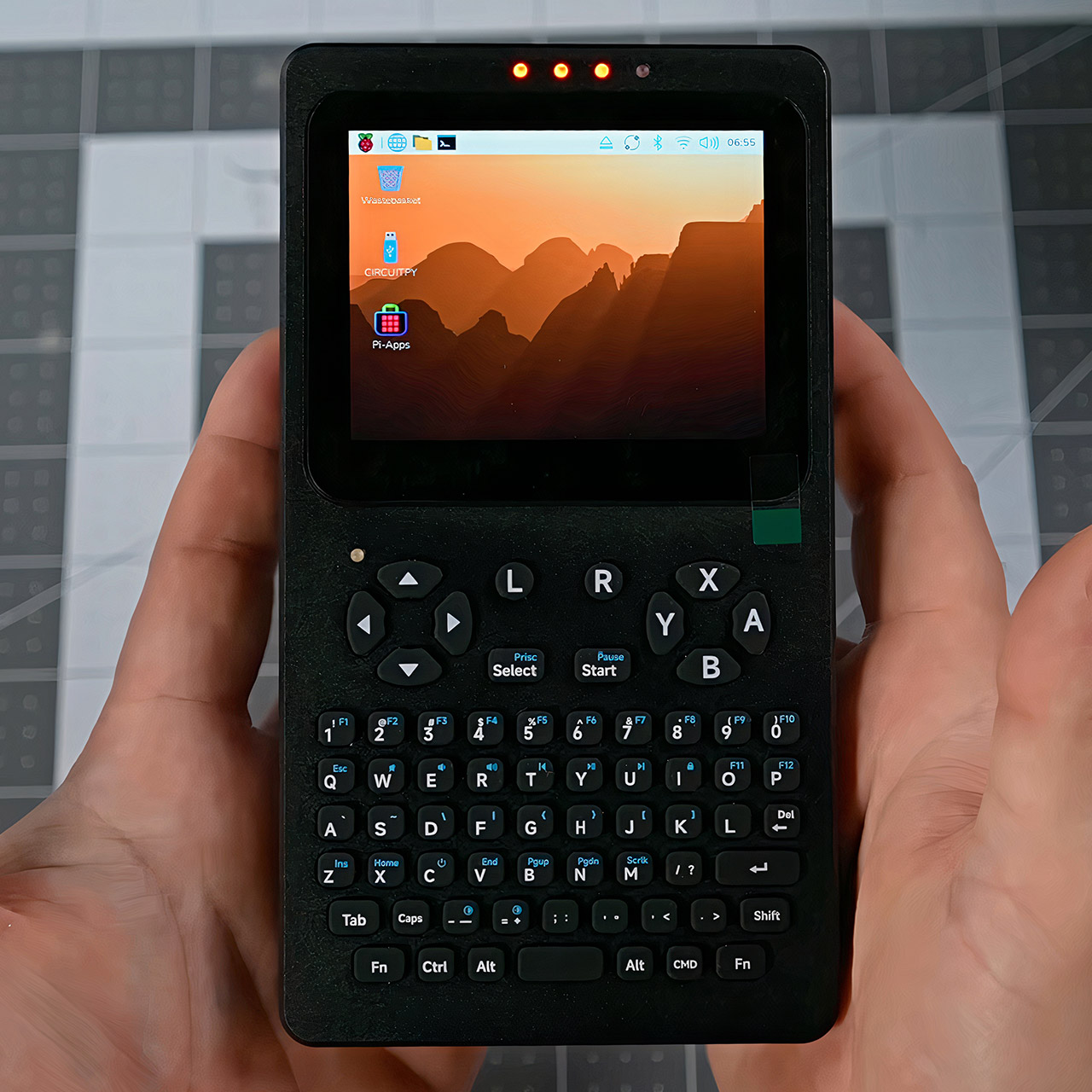
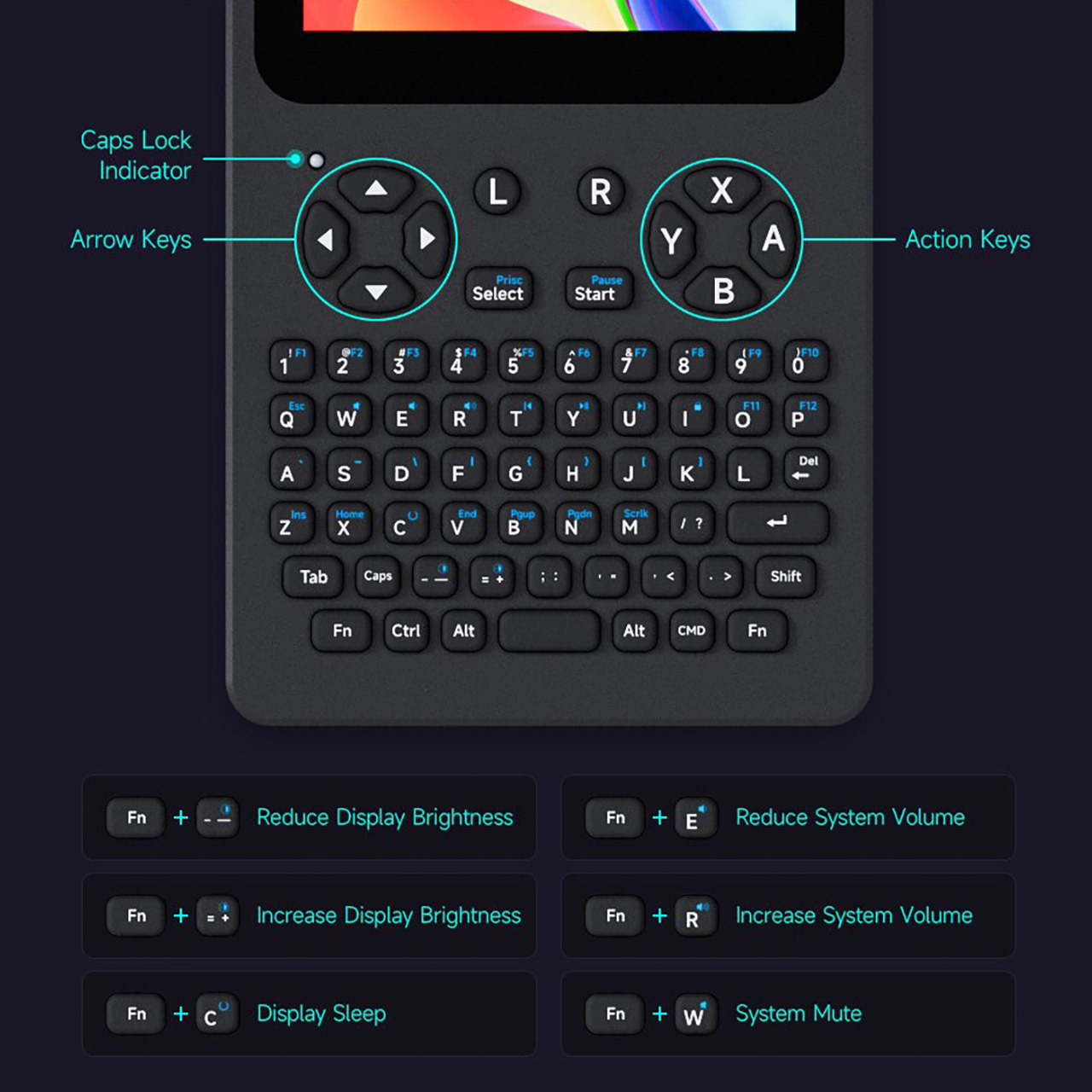
The 3.5-inch IPS touchscreen display has a resolution of 640 by 480 pixels and can be tapped in five distinct locations. Even in full daylight, the colors remain crisp and rich, and the optical bonding helps keep reflections to a minimum. Right below that, they’ve inserted a 67-key membrane keyboard laid out in a thumb-friendly style, with numbers in their own row rather than clumped in with the rest of the keys, and the arrow keys where you’d expect them to be. Four additional buttons on the side provide basic game capabilities. Holding down a single button allows you to control the volume and screen brightness without having to navigate through menus. The dual speakers at the back perform an excellent job of producing clear sound at modest volumes, which is plenty for a device this compact.
If you choose one of the more expensive packages, the device will be powered by a 5,000 milliamp-hour battery. Four little LEDs on the front reveal how much juice you have left at a glance. You can power the entire thing via USB-C, and the Raspberry Pi retains all of its standard connectors, including four USB-A ports, a Gigabit Ethernet socket, a microSD card slot that you can actually access without disassembling the whole thing, and a tiny 3.5-millimeter headphone jack. There’s an RP2040 chip that controls the keyboard and display, as well as power management, freeing up the main Raspberry Pi to do actual work.
Buyers can select from four primary choices, with the PocketTerm35-Pi5 bundle costing roughly $150 and including a 1GB Raspberry Pi 5, a 64GB microSD card preloaded with an operating system, and a battery. The Pi4 version costs $180 and comes with 2GB of RAM, the same storage, and battery. Simpler accessory packages cost $88 or $90 if you already have a Raspberry Pi board and wish to provide your own storage and power.
[Source]
PocketTerm35 Turns a Raspberry Pi Board Into a Real Handheld Computer
#PocketTerm35 #Turns #Raspberry #Board #Real #Handheld #Computer